
Content Buckets
Content Buckets are the storage system
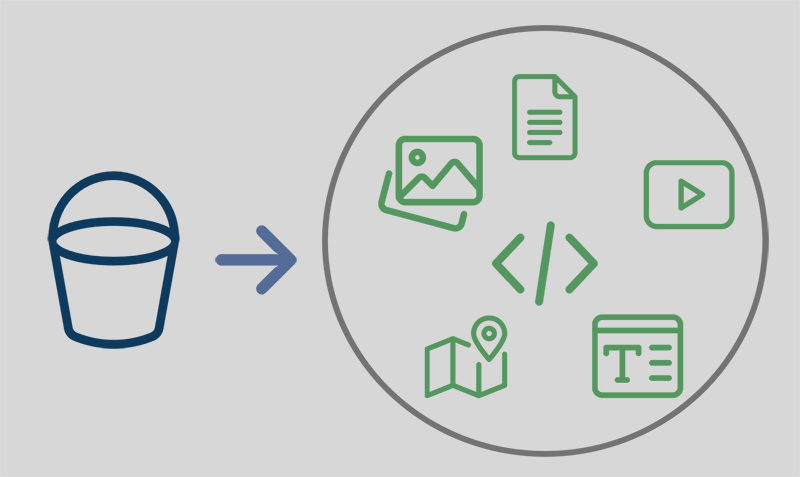
for all articles, posts, and content used in your SEO NEO campaigns. They provide organized, reusable content for automated link building.
What Are Content Buckets?
A Content Bucket is a collection of articles and content pieces that SEO NEO uses when creating posts across different platforms. Think of it as your content library that fuels your campaigns.
Key Features
- Organized Storage: Group related content together
- Reusable Content: Use across multiple campaigns
- Rich Media Support: Include images, videos, and embeds
- AI Integration: Generate content automatically
- Spintax Support: Create variations automatically
Creating Content Buckets
Step 1: Access Content Buckets
- Open SEO NEO
- Navigate to Content in the main menu
- Click Content Buckets
- Click Create New Bucket
Step 2: Configure Bucket Settings
| Setting | Description |
|---|---|
| Name | Descriptive name for the bucket |
| Category | Topic or niche category |
| Description | Notes about the content |
Step 3: Add Content
You have several options for adding content:
Manual Entry
- Click Add Article
- Enter title and body
- Add images/media
- Save article
Import Content
- Click Import
- Select file format (TXT, CSV, etc.)
- Map fields
- Import articles
AI Generation
- Click Generate with AI
- Enter topic/keywords
- Configure settings
- Generate articles
Content Types
Articles
Standard blog-style content:
- Title
- Body text
- Meta description
- Tags/categories
Rich Content
Enhanced content with media:
- Images: Relevant images for posts
- Videos: YouTube/Vimeo embeds
- Infographics: Visual content
- Embedded Code: Custom HTML/iframes
Spintax Content
Content with variations:
{Hello|Hi|Greetings}, welcome to {our|the|this} website.This creates multiple unique versions automatically.
OpenAI Integration
Setting Up AI Content Generation
- Navigate to Settings > API Keys
- Enter your OpenAI API key
- Configure generation settings
- Save settings
Generating AI Content
- Open a content bucket
- Click Generate with AI
- Configure generation:
- Topic: Main subject
- Keywords: Target keywords to include
- Tone: Professional, casual, etc.
- Length: Word count target
- Count: Number of articles
- Click Generate
- Review and edit as needed
AI Content Best Practices
- Always review generated content
- Edit for accuracy and quality
- Add unique insights
- Include relevant keywords naturally
- Vary content structure
Content Optimization
Quality Guidelines
Do:
- Write for humans first
- Include valuable information
- Use natural language
- Vary sentence structure
- Add relevant media
Don't:
- Keyword stuff
- Use duplicate content
- Create thin content
- Ignore readability
- Skip proofreading
Anchor Text in Content
Configure how links appear in content:
- Contextual Links: Natural placement within text
- Anchor Variations: Multiple anchor text options
- Link Density: Links per article (1-3 recommended)
Managing Content Buckets
Organization
- Use descriptive names
- Create buckets by niche/topic
- Separate by content type
- Archive old content
Maintenance
- Regularly update content
- Remove outdated articles
- Add fresh content
- Review performance
Bulk Operations
- Export: Download bucket contents
- Duplicate: Copy bucket with content
- Merge: Combine multiple buckets
- Delete: Remove bucket and contents
Using Buckets in Campaigns
Assignment
When creating a campaign:
- Select link group
- Choose content bucket
- Configure content settings
- Set rotation preferences
Content Rotation
SEO NEO automatically rotates through content:
- Each post uses different article
- Prevents duplicate content
- Ensures variety across platforms
Content Requirements by Link Group
| Link Group | Content Type |
|---|---|
| Web 2.0 Blogs | Full articles with images |
| Cloud Blogs | Rich content with media |
| PDF Upload | Formatted documents |
| Social Bookmarks | Short descriptions |
| Comments | Brief, relevant comments |
Best Practices
Content Preparation
- Research Topics: Understand your niche
- Plan Content: Map out article topics
- Create Quality: Focus on value
- Optimize: Include keywords naturally
- Review: Check for errors
Bucket Strategy
- Create niche-specific buckets
- Maintain adequate article count
- Refresh content regularly
- Test different content types
Performance Optimization
- Monitor which content performs best
- A/B test different approaches
- Update based on results
- Scale what works
Troubleshooting
Common Issues
Low post success rate:
- Check content quality
- Verify no duplicate content
- Ensure proper formatting
- Review platform requirements
AI generation errors:
- Verify API key
- Check API credits
- Reduce generation complexity
- Try different prompts
Quality content is the foundation of successful link building. Invest time in creating and maintaining your content buckets.