
Part 4: Campaign Organization SOP
Organize your campaigns by creating Account Buckets and Campaign Folders for scalable, efficient link building operations.
📋 Prerequisites
- ✅ SEO NEO installed with accounts imported
- ✅ Understanding of campaign goals
- ✅ Account inventory completed
- ✅ Content templates prepared
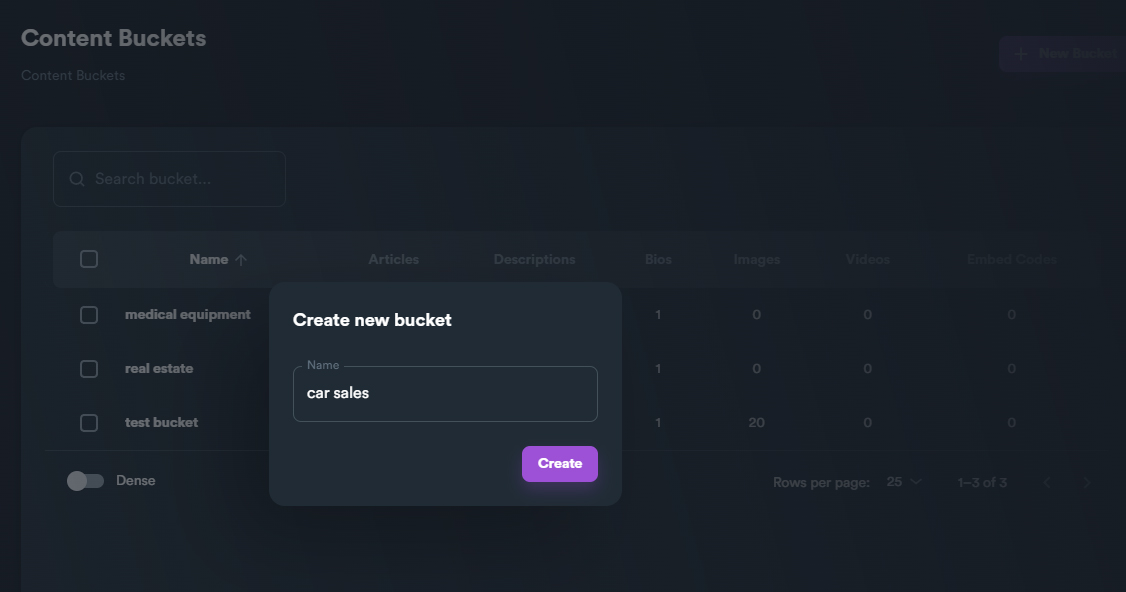
Content Bucket Example
🎯 Objectives
- Create logical account bucket structure
- Organize campaigns by strategy
- Implement naming conventions
- Set up automation workflows
- Enable efficient scaling
🔧 Account Bucket Configuration
Step 1: Bucket Architecture Design
1.1 Bucket Hierarchy
Three-Tier Structure:
Level 1: Platform Type
├── Level 2: Authority Level
│   └── Level 3: Niche/Category
Example Structure:
Web 2.0 Platforms
├── High Authority (DA 70+)
│   ├── General Purpose
│   ├── Business/Professional
│   └── Local/Regional
├── Medium Authority (DA 40-69)
│   ├── Niche Blogs
│   ├── Forums
│   └── Social Platforms
└── Standard Authority (DA 20-39)
    ├── Free Blogs
    ├── Article Sites
    └── Directories
1.2 Create Platform Buckets
Navigate to: Accounts → Account Buckets → Create New
Bucket 1: Premium Web 2.0
Name: Premium_Web20_DA70+
Platform Types: WordPress.com, Blogger, Medium, Tumblr
Min Domain Authority: 70
Account Status: Active
Posting Frequency: 2-3 per week
Content Type: Long-form articles
Bucket 2: Social Profiles
Name: Social_Profiles_Tier1
Platforms: Facebook, LinkedIn, Twitter, Pinterest
Authority: Established accounts (6+ months)
Activity Level: Daily engagement
Content Mix: 70% value, 20% promotional, 10% personal
Bucket 3: Local Directories
Name: Local_Directories_GeoTarget
Platforms: Yelp, YellowPages, Bing Places, Apple Maps
Geographic Focus: Target city + 50 mile radius
NAP Consistency: Strict enforcement
Review Management: Enabled
Step 2: Account Distribution Strategy
2.1 Account Allocation
Optimal Distribution:
Total Accounts: 1000
├── Tier 1 (Premium): 100 accounts (10%)
│   ├── Reserved for money sites: 30
│   ├── Buffer/backup: 20
│   └── Active rotation: 50
├── Tier 2 (Standard): 300 accounts (30%)
│   ├── Content distribution: 150
│   ├── Link building: 100
│   └── Social signals: 50
└── Tier 3 (Volume): 600 accounts (60%)
    ├── Mass posting: 400
    ├── Testing/experimental: 100
    └── Churn buffer: 100
2.2 Account Health Management
Health Monitoring Setup:
Check Frequency: Weekly
Metrics Tracked:
- Login success rate
- Post success rate
- Account warnings/bans
- Captcha requirements
- IP associations

Thresholds:
- Warning: < 80% success rate
- Critical: < 50% success rate
- Immediate action: Ban detected
Step 3: Campaign Folder Structure
3.1 Folder Hierarchy
Standard Campaign Structure:
Root
├── Client Campaigns
│   ├── Client_A
│   │   ├── MoneyS ite_1
│   │   ├── Money_Site_2
│   │   └── Local_Campaign
│   └── Client_B
│       ├── Main_Site
│       └── Seasonal_Campaign
├── Test Campaigns
│   ├── Strategy_Tests
│   └── New_Platform_Tests
└── Template Campaigns
    ├── RD100_Template
    ├── Local_SEO_Template
    └── Authority_Building
3.2 Naming Conventions
Campaign Naming Format:
[Date]_[Client]_[Strategy]_[Target]_[Version]

Examples:
2024Q4_ClientA_RD100_Homepage_v1
2024Nov_Local_GBP_Denver_Test2
2024W45_Seasonal_BF_Electronics_Final
Folder Color Coding:
- 🟢 Green: Active campaigns
- 🟡 Yellow: Scheduled/pending
- 🔵 Blue: Templates/reference
- 🔴 Red: Paused/issues
- ⚫ Gray: Archived/completed
Step 4: Workflow Automation
4.1 Campaign Templates
Create Reusable Templates:
RD100 Template:
Template Name: RD100_Standard
Strategy: 100 Referring Domains
Duration: 30 days
Daily Posts: 3-4
Content Type: Mixed (articles, profiles, bookmarks)
Link Velocity: Natural growth curve
Anchor Text Distribution:
  - Brand: 25%
  - Exact: 15%
  - Partial: 30%
  - Generic: 20%
  - Naked URL: 10%
Local SEO Template:
Template Name: Local_Domination
Focus: Geographic targeting
Platforms: Local directories, maps, reviews
NAP Format: Standardized
Content: Location-specific
Schema: LocalBusiness markup
Citations: 50 minimum
Reviews: Request automation
4.2 Automation Rules
Set Up Smart Rules:
Account Rotation:
IF account_posts > 10 per week
THEN rotate to cooling period (3 days)
Content Distribution:
IF content_type = "article"
THEN distribute to Tier1_buckets first
ELSE distribute to appropriate tier
Link Velocity:
Week 1: 20% of total links
Week 2: 35% of total links
Week 3: 30% of total links
Week 4: 15% of total links
Step 5: Performance Tracking
5.1 Metrics Dashboard
Key Performance Indicators:
Bucket Level:
- Account health score
- Post success rate
- Average post lifespan
- Ban/warning rate

Campaign Level:
- Links created vs target
- Indexation rate
- Ranking improvements
- Traffic changes
5.2 Reporting Structure
Weekly Reports:
1. Campaign Progress
   - Links built this week
   - Cumulative progress
   - Success/failure rates

2. Account Status
   - Active accounts
   - Warnings/issues
   - Replacement needs

3. Performance Metrics
   - Top performing content
   - Best converting anchors
   - Highest authority links
📊 Organization Checklist
Bucket Setup
- [ ] Platform buckets created
- [ ] Authority tiers defined
- [ ] Accounts distributed
- [ ] Health monitoring active
- [ ] Rotation rules set
Campaign Structure
- [ ] Folder hierarchy created
- [ ] Naming convention applied
- [ ] Templates configured
- [ ] Color coding implemented
- [ ] Archive system ready
Automation
- [ ] Workflow rules active
- [ ] Content distribution set
- [ ] Link velocity configured
- [ ] Rotation automated
- [ ] Reports scheduled
🎯 Best Practices
Bucket Management
- Regular audits of account health
- Maintain reserves for replacements
- Diversify platforms within buckets
- Track performance by bucket
Campaign Organization
- Consistent naming for easy search
- Regular archiving of old campaigns
- Template updates based on results
- Version control for strategies
Scaling Strategies
- Start small and expand
- Document everything for team scaling
- Automate repetitive tasks
- Monitor and adjust continuously
📈 Expected Outcomes
- ✅ 50% reduction in campaign setup time
- ✅ 80% improvement in account lifespan
- ✅ 3x faster campaign deployment
- ✅ Simplified team collaboration
- ✅ Clear performance tracking
🚀 Next Steps
- Part 5: Massive Link Campaigns - Launch at scale
- Part 5.1: 3-Tier Networks - Advanced structures
- Part 5.2: RD100 Strategy - Domain authority
💡 Pro Tips
Bucket Optimization
Rotate accounts between buckets based on performance. High-performing accounts should be promoted to premium buckets.
Campaign Versioning
Always version your campaigns (v1, v2, etc.) to track improvements and maintain history of what worked.
Account Preservation
Never exceed 5 posts per day per account unless specifically designed for high-volume posting. Account longevity > short-term gains.
✅ Perfect! Your campaign organization system is now optimized for scalable link building operations.